Process Overview
Credit Card Application Form is returned by email from the customer, the application form was emailed to customer previously as part of the Credit Card Application Process, (our detailed example) we are now looking at part 2 of the process. See our previous example where we walked through a full customer application.
Process Aim
The input to the process is a completed customer application, and the Output (AIM) is to issue the customer with a Credit Card.
Process Details:
The PDF is returned with the customers e-signature and automatically is fed into the Credit Card Application System (CLAS).
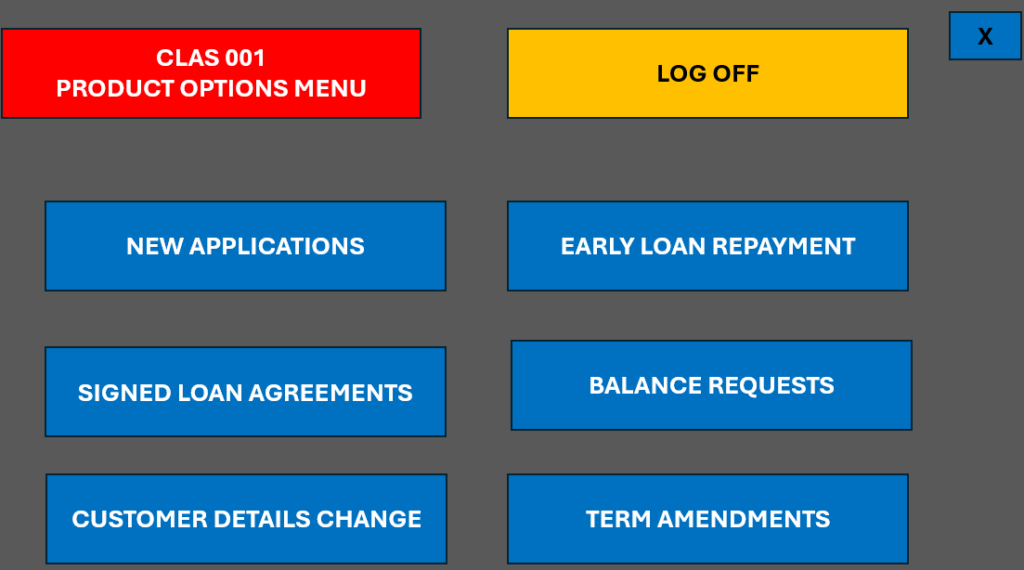
The user works the item from the system Menu
The PDF of the completed application opens automatically in the PDF Viewer application linked to the system.
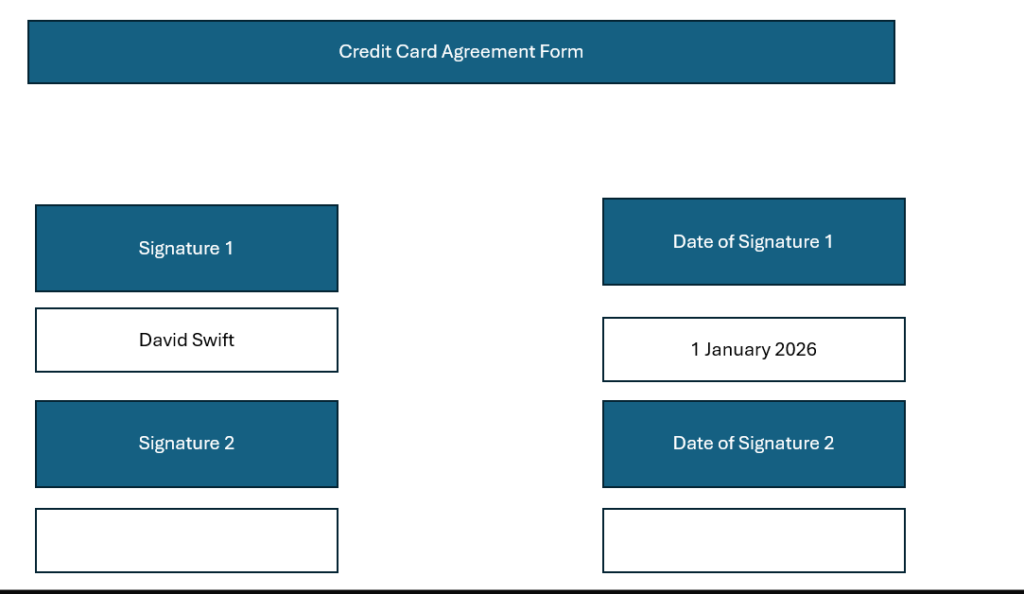
The user checks the PDF Application has a signature or 2 signatures if required, and the date the customer signed the application is auto completed.
The user then updates various parts of the Credit Card Application System.
Update the date the agreement was signed in the system, and Click Next.
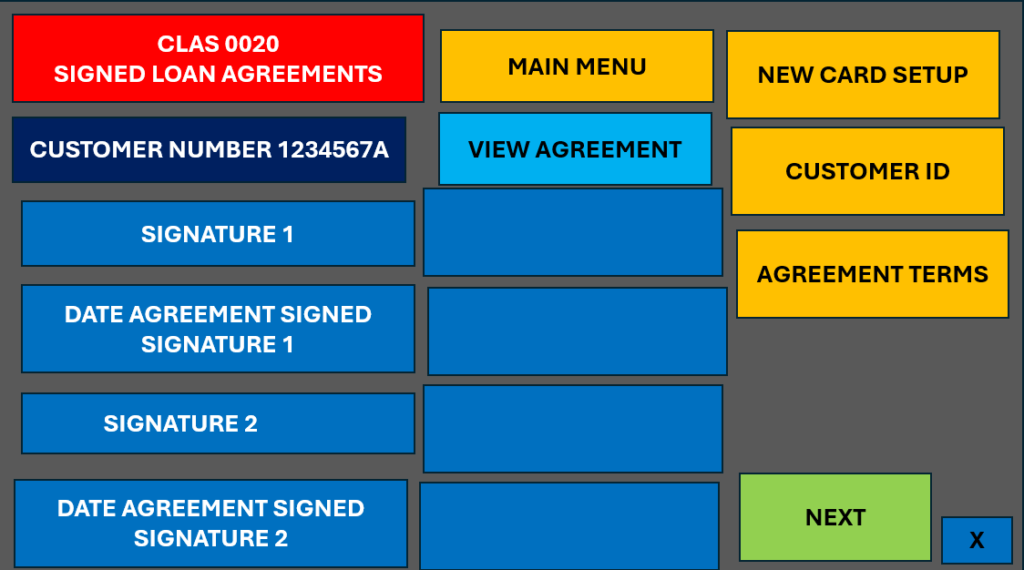
The user then checks the date of agreement is before the expiry date detailed in the system, to ensure the offer hasn’t expired. This is on screen CLAS0022 so the user has to click next on CLAS0020 and again on CLAS0021 to get to this screen.
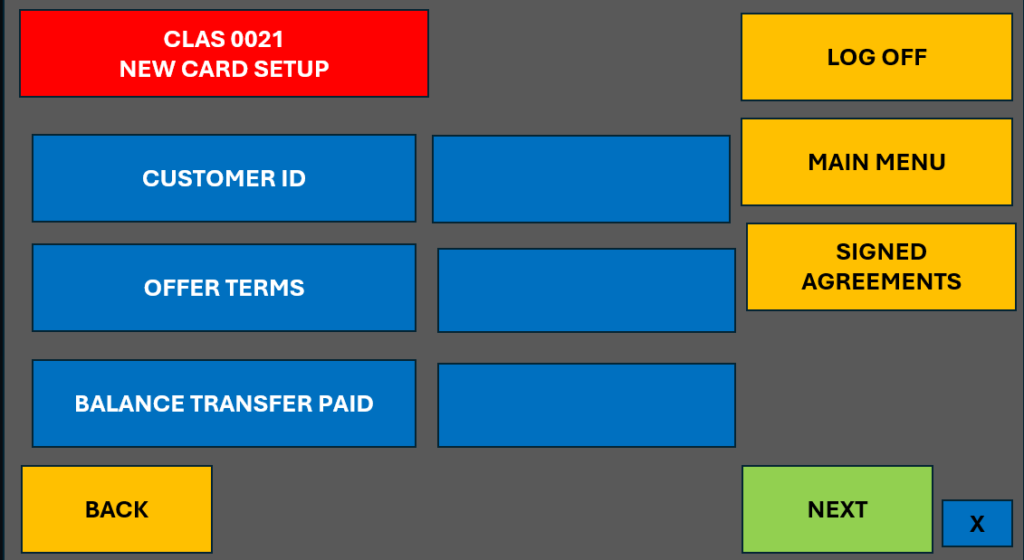
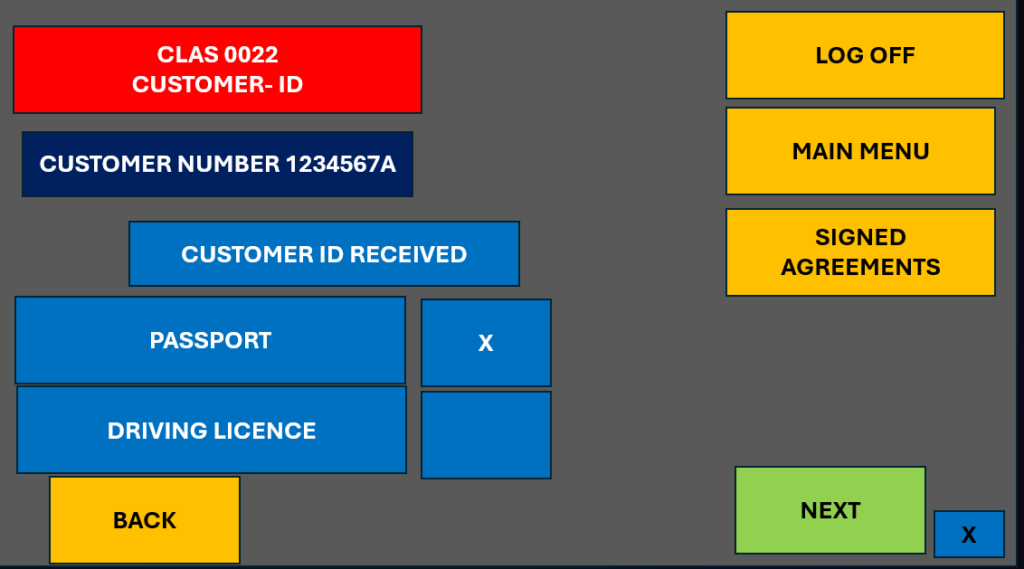
RPA Process Example – Update Text Box
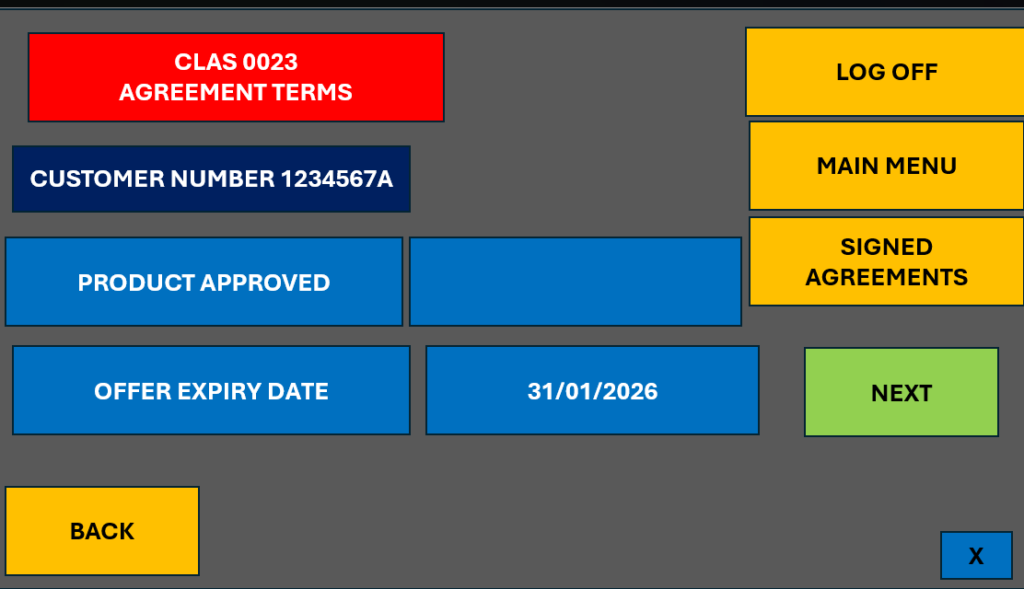
If these basic checks are all OK, the Card Can be authorised. There will be separate processes to consider if all the basic checks are not ok, which will be demonstrated in another example.
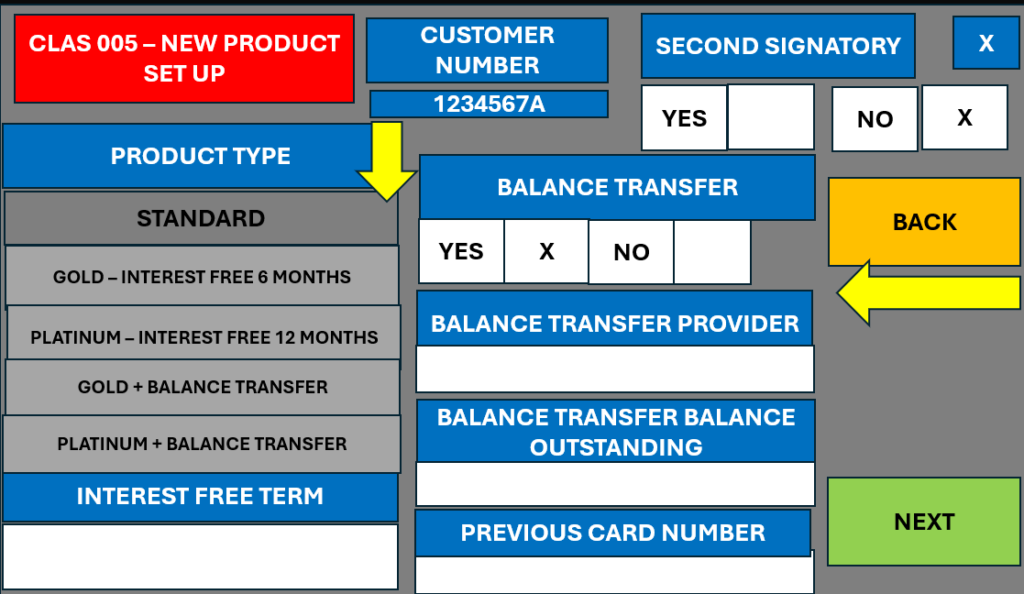
The next thing to consider is if a Balance Transfer was relevant. This will be detailed in the Credit Card Application System. This is detailed in the system in CLAS005 New Product Set Up and was added on the customers initial application. In this example a Balance Transfer is applicable.
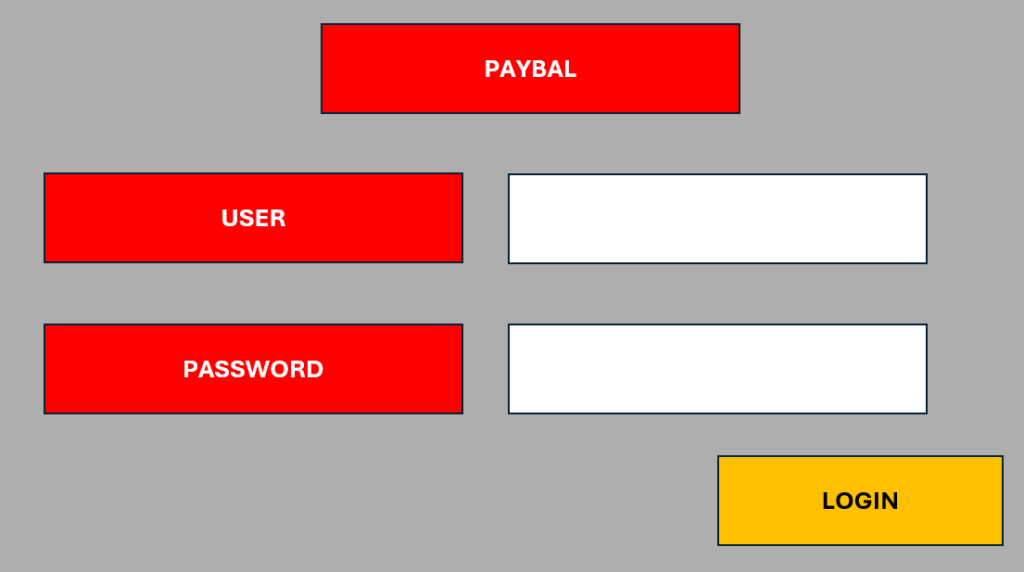
To make the Payment another system “PAYBAL” is used. The user needs to login by entering the username and password and click Login.
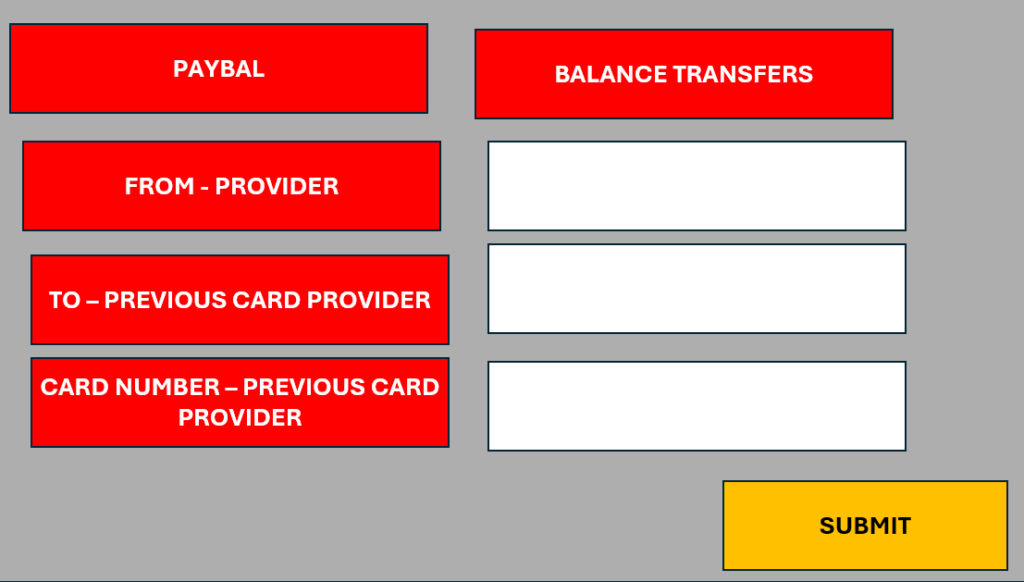
The user will need the, Other Provider, Card number and Amount of Balance, which will be copied from the Credit Card Application System
RPA Process Example – Update Details
The user will need to go to the CLAS Credit Application System, screen which details if a Balance Transfer is applicable to obtain the Card Details.
RPA – Example Use Case, Checking for the Balance Transfer Details
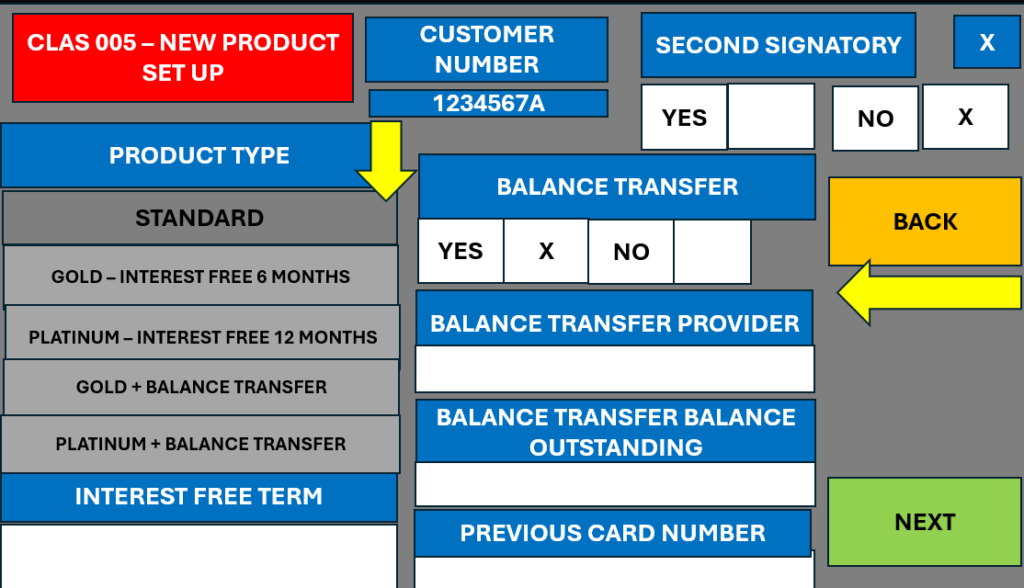
In this example, the balance transfer details haven’t been completed but assuming they had, the user would transfer this information to the payment system.
RPA Example, copying the balance transfer information
This is a perfect example of an RPA repetitive task, copying information between system.s
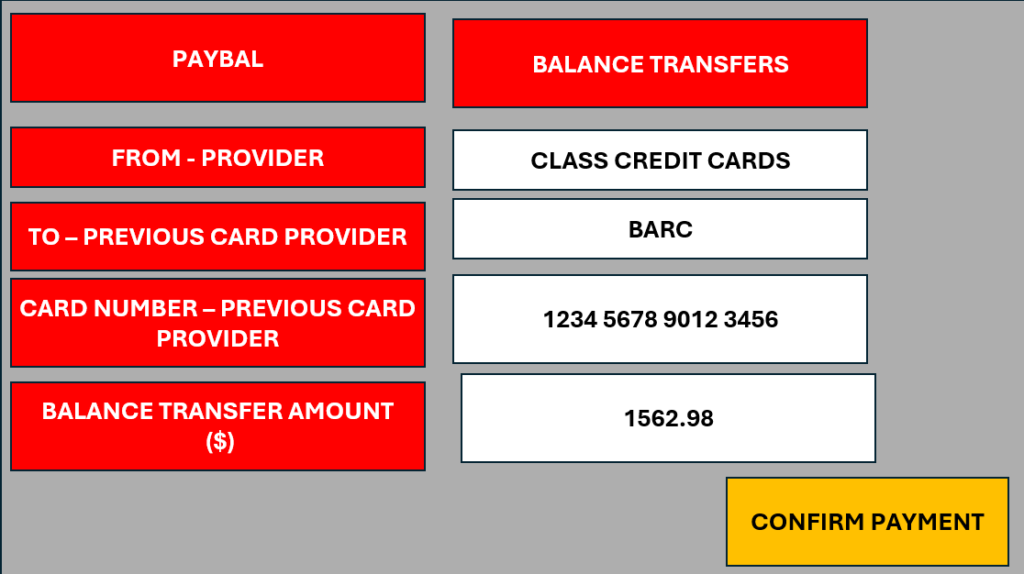
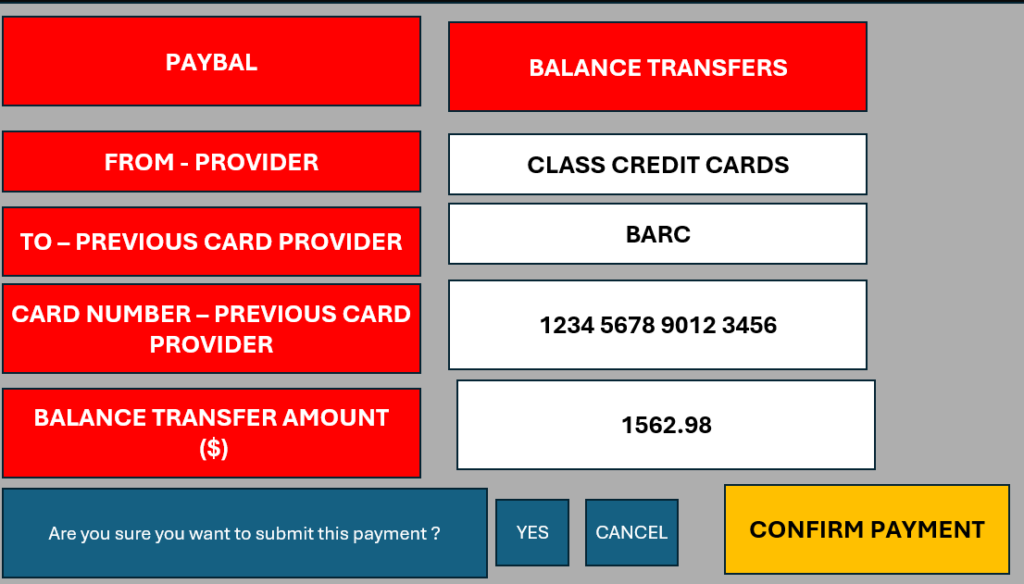
When the user has copied all the information across, they will click Confirm Payment, and a warning message will display. The user clicks ok.
RPA Process Example – Clicking the Warning Box.
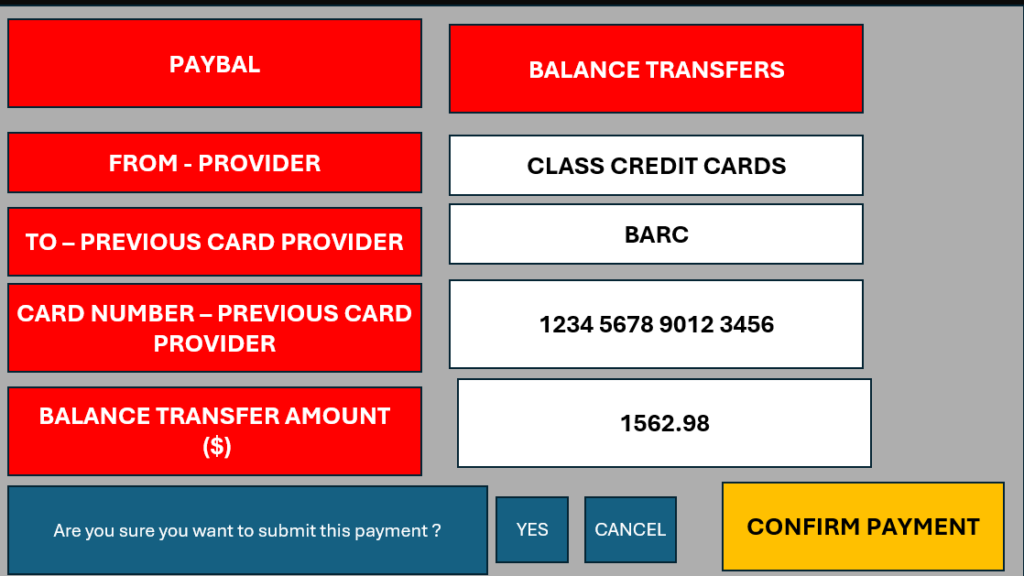
A Receipt Notice that the payment has been made will be issued.
RPA Process Example – Receipt Notice Issued
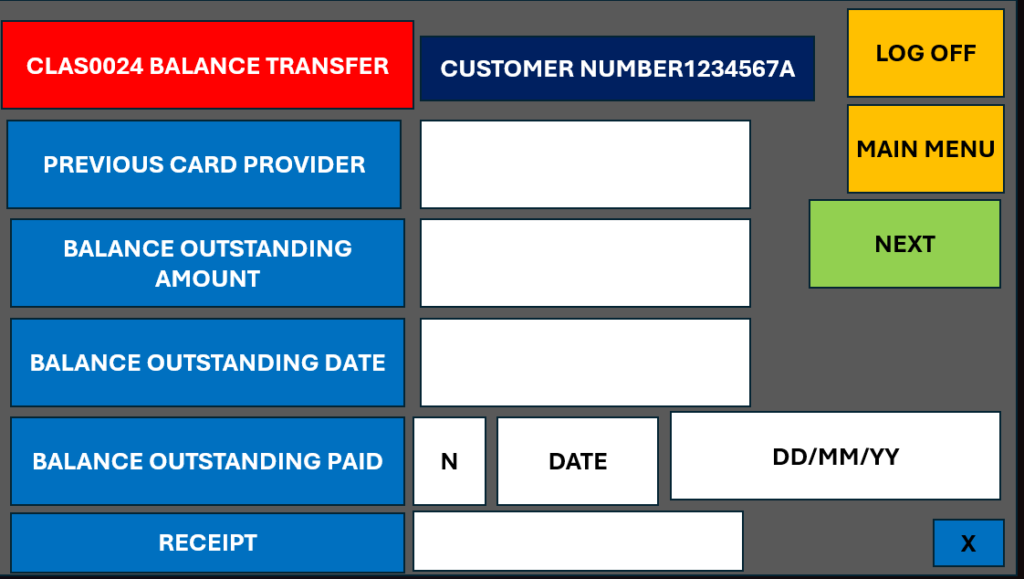
The user will then add details of the balance transfer paid, which is on screen CLAS0024.
One consideration is how to get to this screen, CLAS0023 should still be open and the user will therefore activate this screen and click next, but if it wasn’t they would have to go through the various prior screens again to reach this screen, this is something that would need to be considered when building an automation – how the robot will access various parts of a system, sometimes the user might do this in an ad-hoc order, but this is something which logic can be applied to get to this stage.
RPA Process Example – Adding the Balance Transfer Details
A SMS will be issued to the customer to confirm that the application has been received and balance transfer paid if applicable. This requires process logic to check if there is a balance transfer and the SMS message will be issued accordingly. The SMS message system will be used for this.
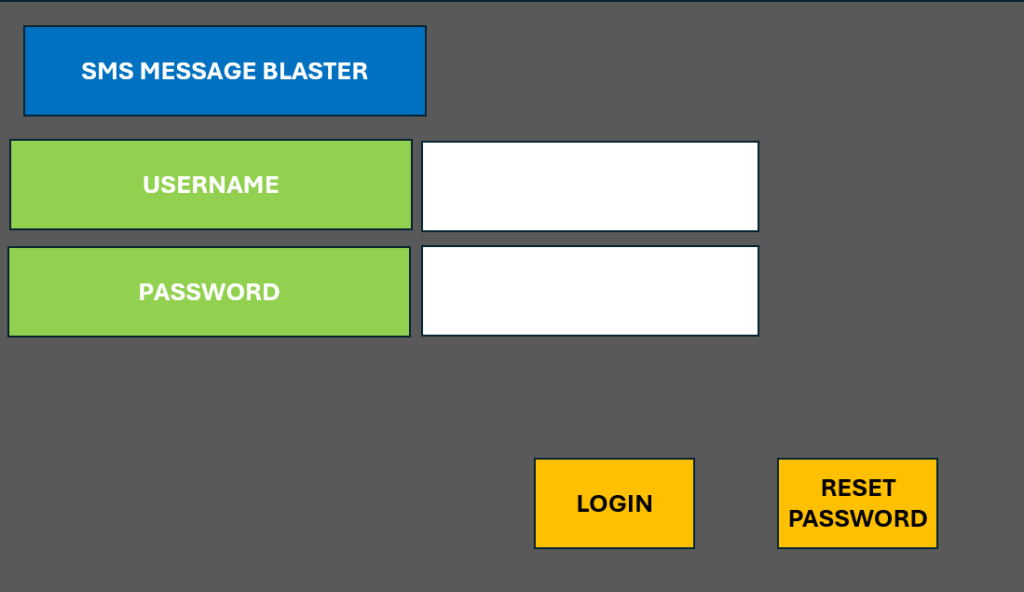
The first step is to login to the SMS Message System.
RPA Process Example – Login to SMS System
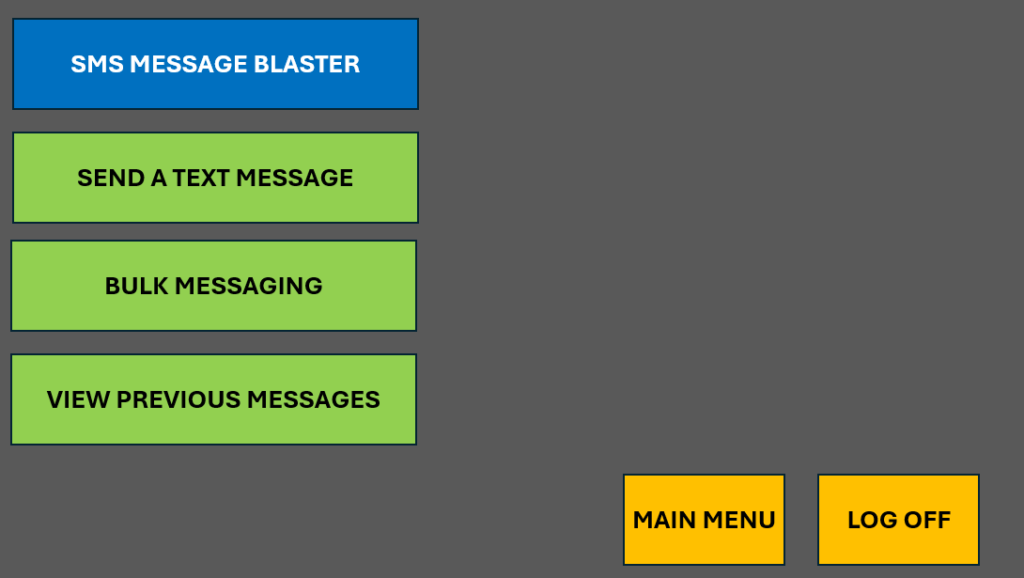
The user clicks send a Text Message.
RPA Process Example – Click the Menu Item
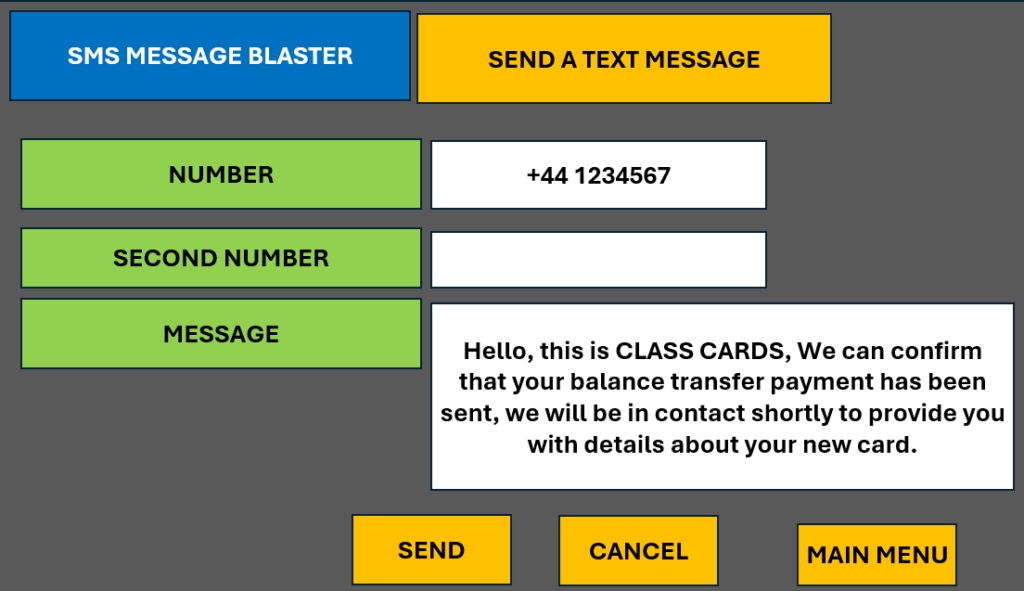
Add the customers SMS number and paste in the message details and click send.
RPA Process Example – Copy the SMS Message Text.
This is a perfect example of a repetitive process, which is suitable for RPA in which the same text is being sent for each customer.
A pop up message will appear, asking to confirm the message can be sent, the user clicks “Yes”.
RPA Process Example – Clicking the message box.
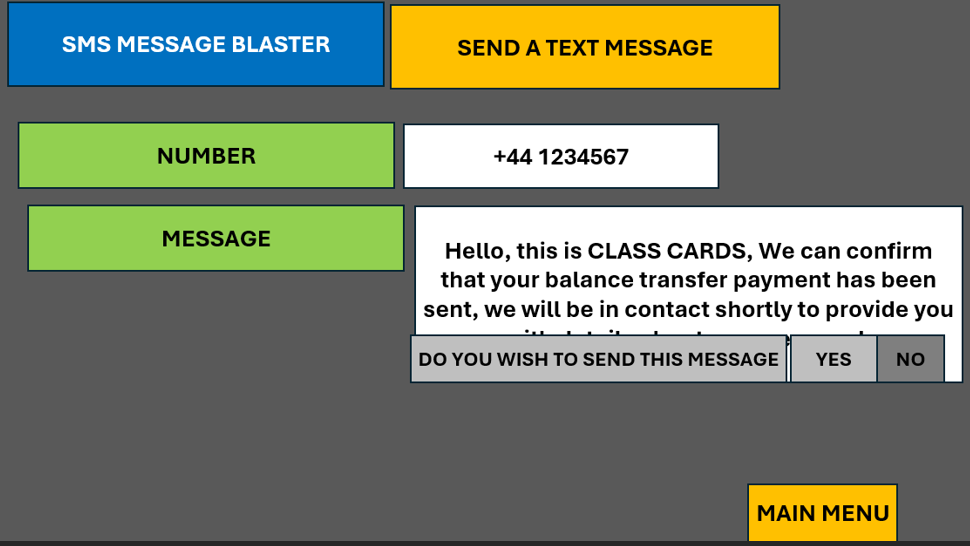
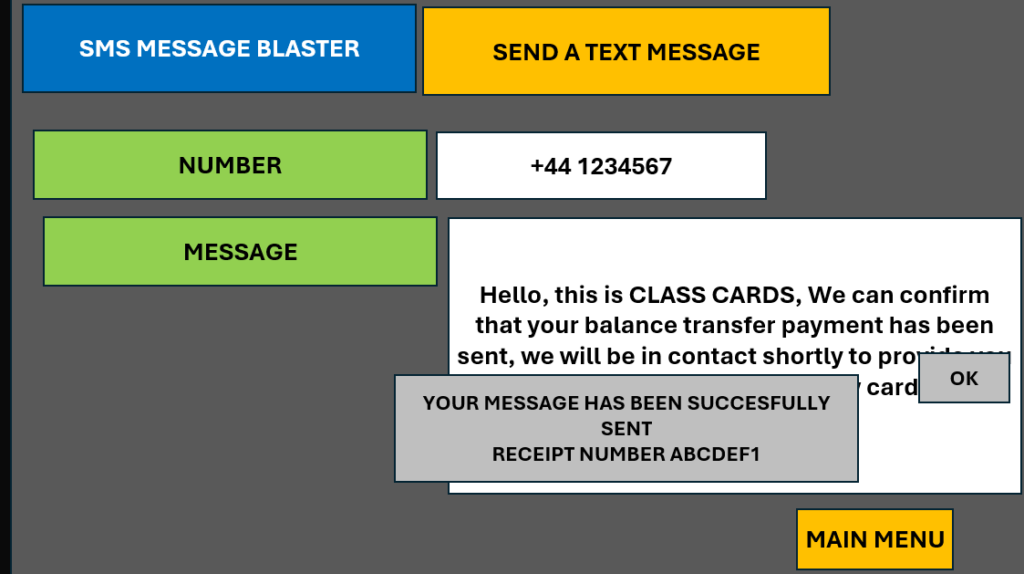
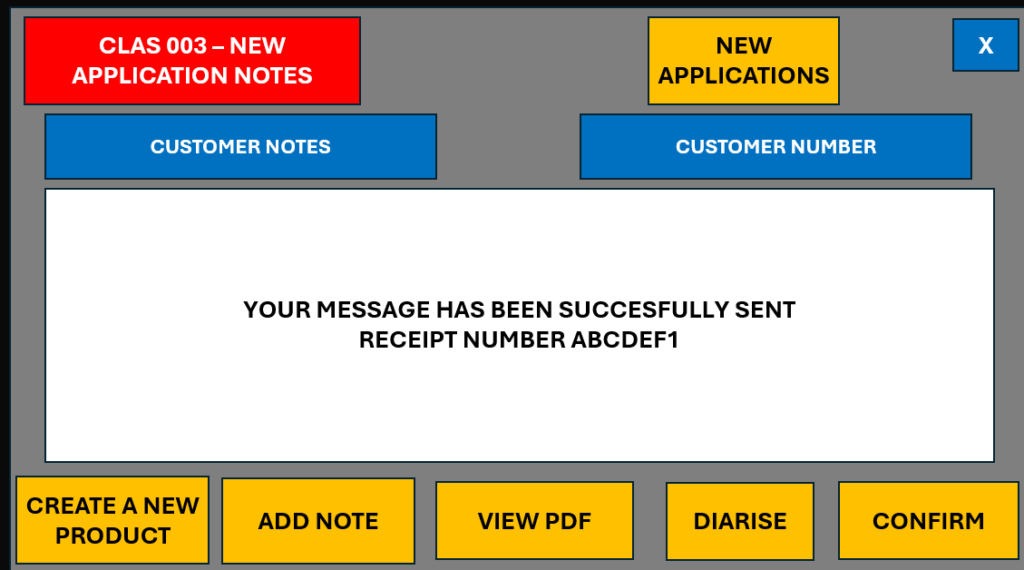
The SMS receipt is displayed, the user copies this receipt number.
RPA Process Example – Copying Information
This is another task typically suited to RPA, copying information from one system, and uploading it to another.
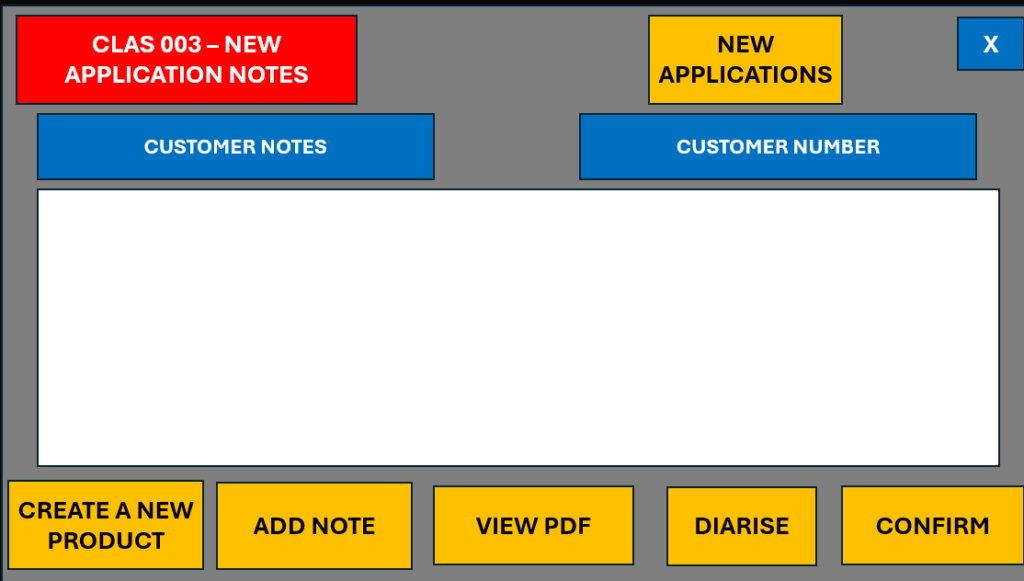
RPA Process Example – Generating the Customer Card
The customers card can now be generated.
This is on screen CLAS0025, again the user should have screen CLAS0024 still open and will need to reactivate this screen and click Next. Logic can be built into the process to handle the scenario, if it isn’t to find an alternative way of moving through the menu items.
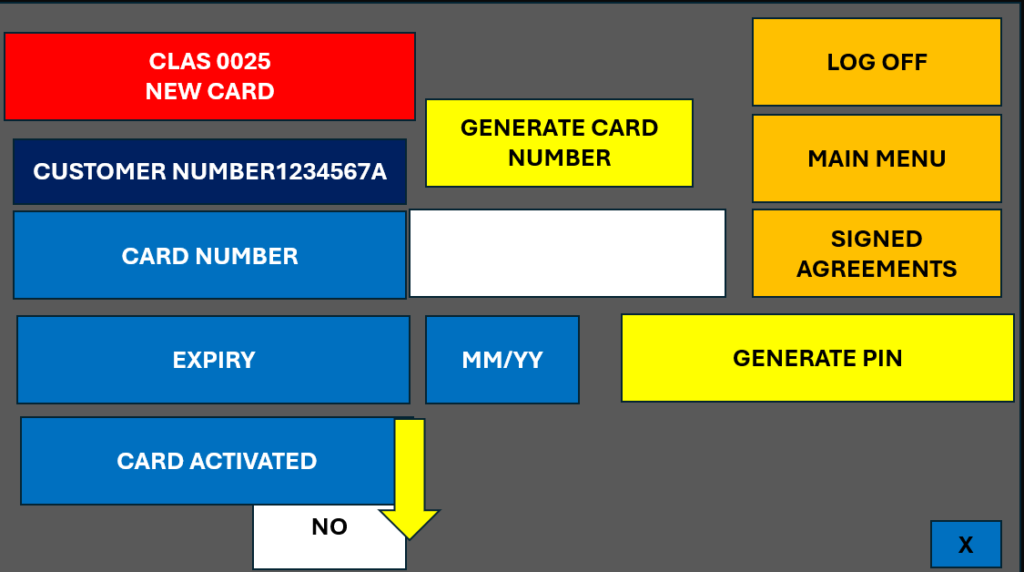
The details required will be which Card, the approved term determines the expiry term. The system will generate a new Card Number. The customer name will need to be added as it doesn’t auto populate from the system. The customers PIN number is issued separately, to do this the user will click the “Generate PIN” button. A message will be displayed to confirm the PIN has been generated.
RPA Process Example – Full Process Outline
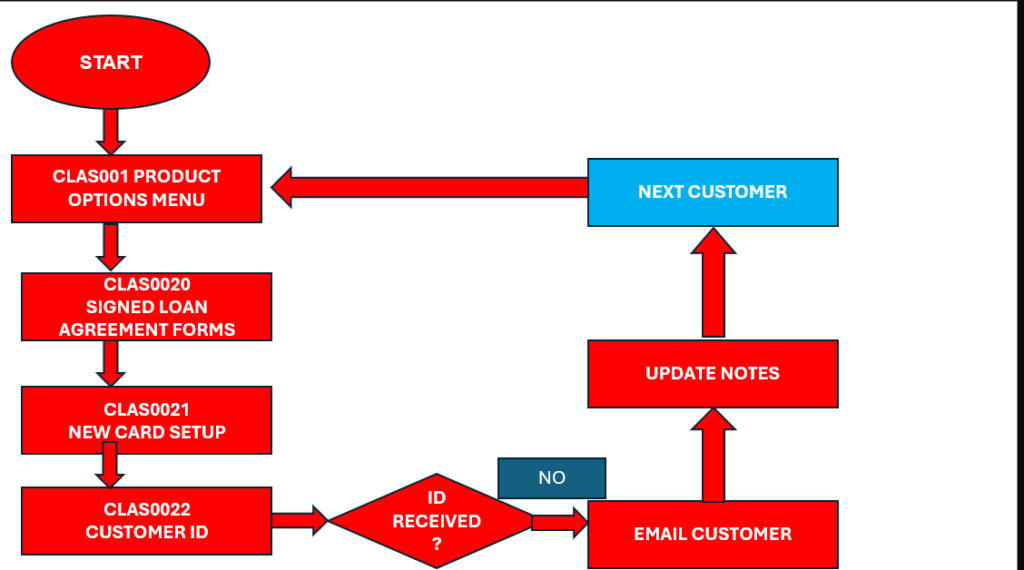
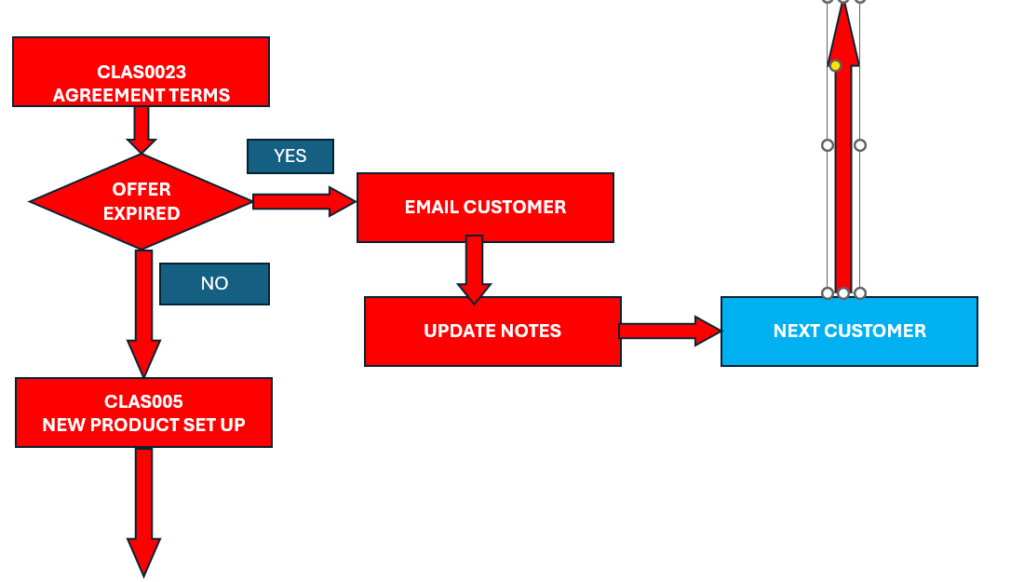
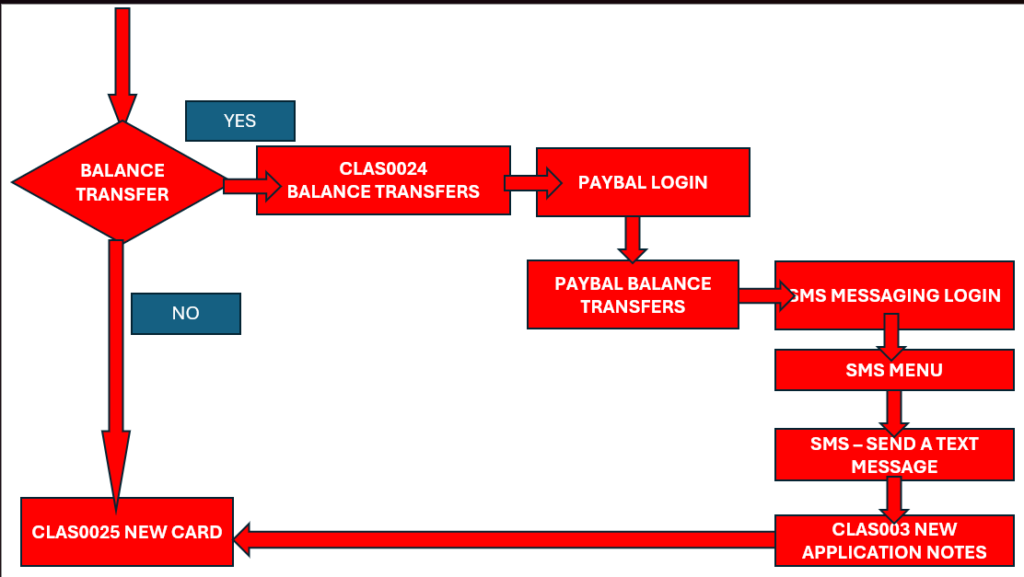
We can now look at the full process map. This shows that repetitive processes can be automated, but each customer application within a process doesn’t follow the exact same path.
For example there are decisions within this process (indicated with a diamond shape) which divert the process down different paths.
For example, the process for each customer terminates, without a new card issued if the customer hasn’t provided ID or the application has expired. The robot can handle these differences by sending the relevant email or SMS.
There is also a different path if no balance transfer is required, joining back to the same process as for those with a balance transfer after the balance transfer has been completed.
The outline map so far, walks through the individual system screens rather than mapping the detail on each screen, as an outline of how a repetitive RPA process can work.